Mobile App

Download the 71com App – Android & iOS Play from Anywhere

The 71com app is now faster and smoother. Fish games, slots, Live Casino, and Sports Betting — all in one app. The real casino experience, right in the palm of your hand.

★★★★★
4.8/5 Rating · 1M+ Downloads
71com
Android 5.0+ iOS 12.0+ File Size: 38MB Offline mode available Bangla Language Support Secure and encrypted Auto update

App overview

71com Mobile App – Far More Convenient Than a Browser

Many users access 71com through a mobile browser, but those who've tried the app rarely go back. The reason is simple — everything loads faster in the app, and navigation is more s

Many users access 71com through a mobile browser, but those who've tried the app rarely go back. The reason is simple — everything loads faster, navigation is more intuitive, and game graphics look noticeably smoother.

The 71com app is built specifically for users in Bangladesh. The full interface is available in Bengali, Mobile Banking, Nagad, and Rocket are integrated directly for payments, and load times are up to 60% faster than a regular browser. The app also holds up well on slow connections — a deliberate design choice given mobile internet conditions in Bangladesh.

Log in to the app and you'll have instant access to fish games, slot games, Live Casino, and Sports Betting — all in one place. No separate accounts, no separate apps. One 71com account covers everything.

App-exclusive benefits

Log in via the mobile app to enjoy exclusive app bonuses, instant offer updates through push notifications, and faster withdrawal processing.

71com

Key Features

What's included in the 71com app

The complete gaming experience in one app — no compromises

Fast loading

Built on optimized code, any game loads in just 1–2 seconds. Even on slow connections, gameplay stays uninterrupted.

Push Notifications

Get instant notifications for new bonuses, daily offers, and winnings. Never miss an offer.

Biometric Login

No more typing your password every time. Log in instantly with your fingerprint or Face ID.

In-app payment

Deposit and withdraw via Mobile Banking, Nagad, and Rocket directly within the app. No need to switch to another app.

HD graphics

The app accesses the device's GPU directly, making game animations and effects much smoother and more vivid than in a browser.

Dark mode

Switch on Dark Mode for late-night or low-light gaming. It reduces eye strain and helps your battery last longer.

End-to-end security

SSL encryption and an anti-fraud layer are active on every session. Your account and funds are always protected.

Low-Data Mode

With data-saving mode on, the app uses less data while you keep playing. No more worrying about running out of data at the end of the month.

In-app support

Reach customer support via live chat without leaving the app. Help is available in Bengali, 24 hours a day.


Download guide

How to install the 71com app

Installing the 71com app is straightforward on both Android and iOS. Just follow the steps below — you'll be up and running in about 3 minutes.

For Android

1

Go to Your Phone Settings

Go to Settings → Security → enable "Unknown Sources". This allows APK files from outside the Play Store to be installed.

2

Download the APK file

Log in to the official 71com site and download the Android APK file from the app section.

3

Install and log in

Tap the downloaded file and press Install. Once installed, log in with your 71com account.

For iOS

1

Open in Safari

On your iPhone or iPad, open the 71com site in Safari. Other browsers like Chrome may not work.

2

Add to Home Screen

Tap the Share button in Safari → select "Add to Home Screen" → enter a name and tap Add. Done — the app icon will appear on your home screen.

3

Enjoy the Full-Screen App

Tapping the icon from your home screen opens the app in fullscreen mode. Play across your entire screen with no browser bar in the way.

71com
Safe download

The 71com APK is completely virus-free and undergoes regular security audits. Never download the APK from third-party sites — always use the official 71com website.

Android

Version 5.0+

IOS

Version 12.0+

File Size

Only 38 MB

Update

Automatic


Comparison

71com App vs. Mobile Browser

Why the app is far more convenient than a browser

Features 71com App Mobile Browser
Game loading speed 1–2 seconds 4–8 seconds
Biometric Login
Push Notifications
App-exclusive bonuses
Data-saving mode
HD graphics quality Full HD Limited
Battery Usage Low More
In-app payment Partial

71com
Games on the app

Every game type, all in one app

Once the app is installed, everything is right there — no searching needed. From fish games to Live Casino, it's all organized in one place.

Fish Game

Hunt fish in a vibrant underwater world. Graphics are more vivid and controls smoother on the app.

Slot Games

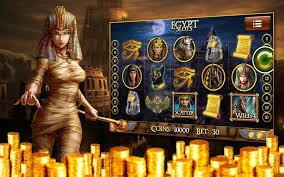
Over 300 slot games. Spin the reels with a single tap and wait for the jackpot.

Live Casino

Live games with real dealers. The app's HD streaming is far clearer than what you get in a browser.

Sports Betting

Place live bets on cricket and football. Get real-time odds update notifications sent straight to your phone.


FAQs

App FAQs

Most Frequently Asked Questions About the 71com App

Yes, the 71com app is completely free to download and install. It's available on both Android and iOS at no charge. All you need is a 71com account to log in and start playing.

For Android, the APK is downloaded directly from the official 71com website. iOS users can add the web app to their home screen via Safari, and it works just like a native app.

The 71com app runs on Android 5.0 (Lollipop) and above — meaning it works on most Android phones released after 2014. If your device has limited RAM, enabling low-data mode will help maintain good performance.

Yes, the 71com app has all the same games as the website. In fact, the app also offers exclusive games and special tournaments available only to app users. Fish Game, slots, Live Casino, Sports Betting — every category is fully available on the app.

The 71com app updates automatically. When a new update is available, you'll get a notification on launch and it will update in the background. To update manually, download the latest APK file from the 71com site and reinstall — your existing data won't be erased.

Per 71com's policy, each user may only operate one account. Only one account can be logged in on a single device at a time. Creating or using multiple accounts violates 71com's terms and may result in account termination.

Download the 71com app now

Thousands of Bangladeshi players are already on the 71com app. Join today and start playing with your welcome bonus.

বাংলা